See what your CSP is blocking,
and where
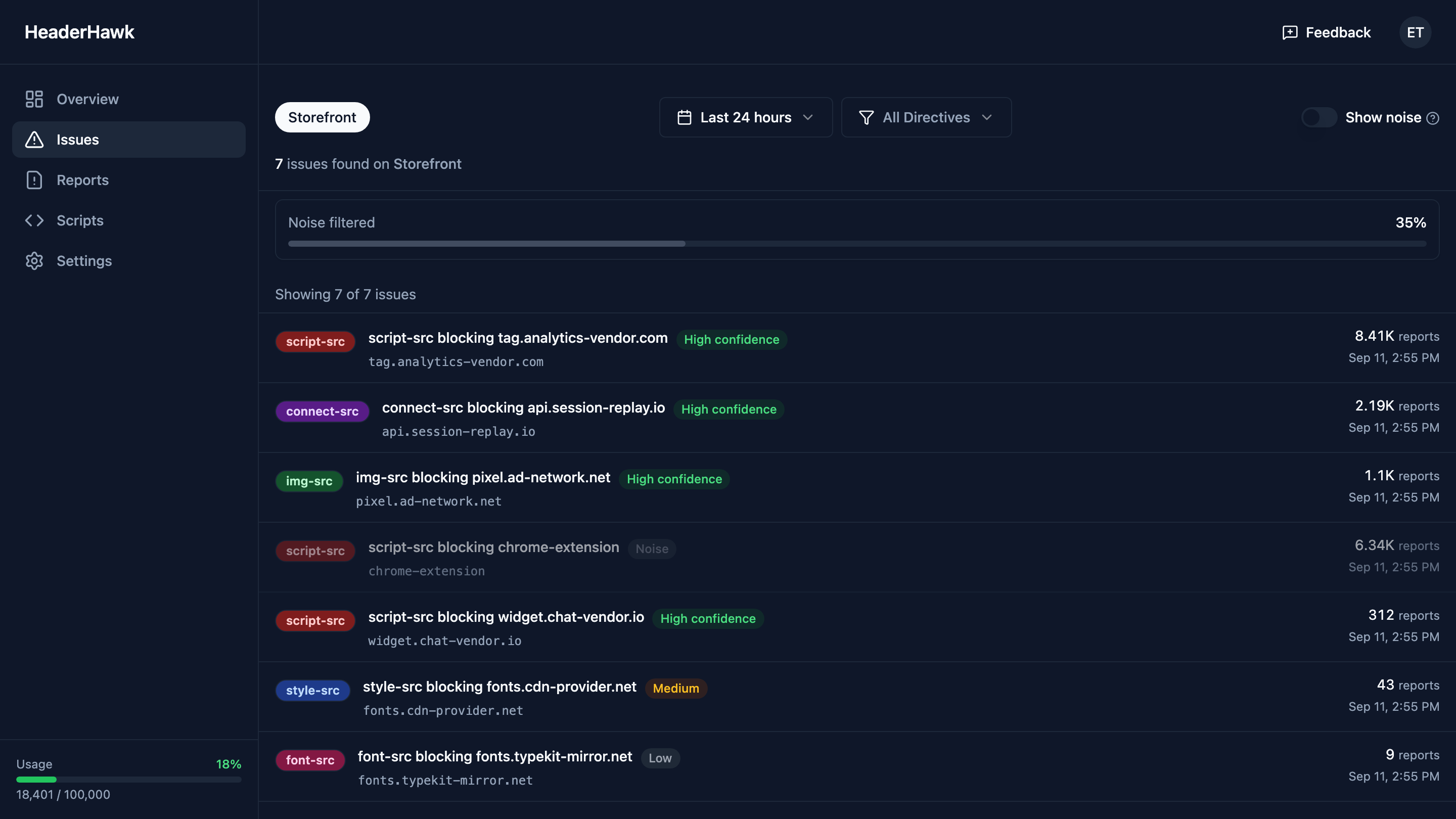
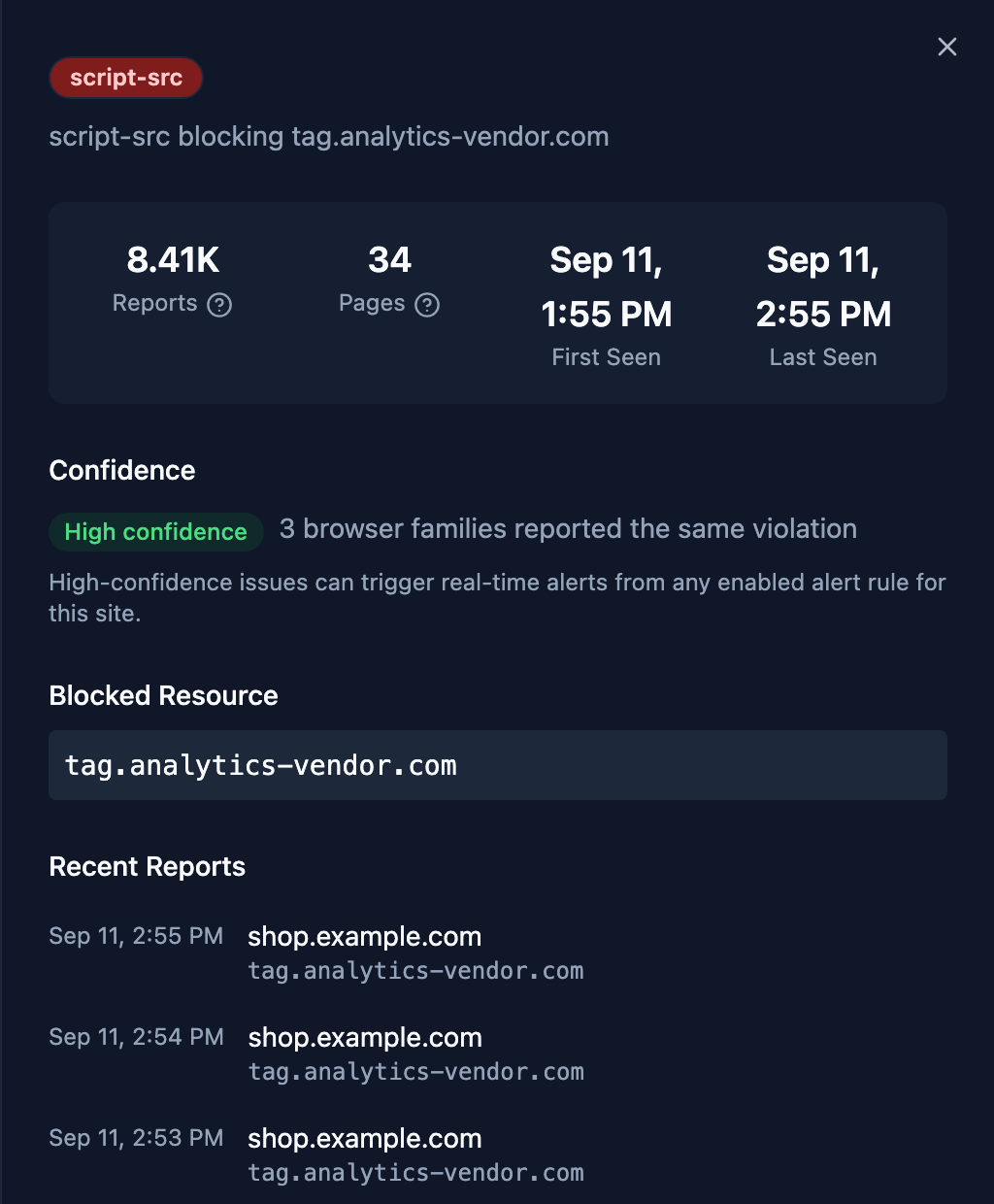
Content-Security-Policy reporting you can actually read. Thousands of reports arrive as a short, grouped list — and any row opens onto the pages it affects and the reports behind it, down to the file, line and script sample the browser sent.
- Free for 3 sites and 10,000 reports a month
- No credit card
- Works with report-uri and report-to
What you actually get
Three things that decide whether a CSP report pile is useful or just large.
A short list, not a firehose
Ten thousand reports from one broken script are one problem. HeaderHawk groups by directive, blocked source, and page so you see the problem once and know how widespread it is.
Drill in without exporting
Filter by directive, blocked host, page, or browser. Open any group to see the source file, line, and script sample the browser reported. Answer “what is this and where is it coming from” in the dashboard instead of a spreadsheet.
Alerts that mean something
Slack, webhook, and email notifications fire when a new violation type shows up. Reports that look like extension or bot noise are held back, so you hear about the new problem, not the thousandth repeat of a known one.
Setup
Add a header directive and start monitoring. Works with any web server or CDN.
Add your site
Get a reporting endpoint in under a minute.
Add one directive
Works with report-uri and report-to. Any web server or CDN.
Watch reports arrive
Start in report-only mode, fix what’s flagged, then enforce.
Copy-paste examples for nginx, Apache, Docker, Node.js, Next.js, Cloudflare, Vercel, and Netlify are in the docs.
Works with your stack
Integrate HeaderHawk with the tools you already use.
Slack
Violation alerts in the channel your team already watches. Per-site rules, real-time or rolled into a digest.
Webhooks
Every violation event as JSON to any endpoint. Route it to your SIEM, ticketing, or whatever you’ve built.
Email digests
A daily or weekly summary of what changed, so a quiet site does not need a dashboard visit to stay quiet.
Want something else? Tell me what you need.
Why this exists
Built by one engineer who got tired of the alternatives
I’ve been writing software since 1997 and spent the last twelve years at a health insurance company, first as an engineer, then as CTO, then as Chief Architect running platform engineering, IT operations, and security.
Every time we rolled out a CSP, the same thing happened. Reports flooded in, most of them were browser extensions and bots, and the tools we tried made it hard to answer the basic question of what was actually broken and what to change. I built HeaderHawk to be the tool I wanted at the time. It’s bootstrapped, it’s small, and I answer the support email.
Michael Cameron — founder, HeaderHawkMore about the project
For payment pages
PCI DSS 4.0 script monitoring
Requirements 6.4.3 and 11.6.1 ask you to inventory the scripts on payment pages, authorize each one, and detect when something changes. A CSP with reporting is the browser-native way to do that. HeaderHawk gives you the inventory of what loaded, the hash of each script and the pages it ran on — a script whose contents change shows up under a new hash — and the report history an assessor will ask for.
How HeaderHawk maps to 6.4.3 and 11.6.1Start free. Pay when you outgrow it.
Free covers 3 sites and 10k reports a month. Team is $39 a month for 10 sites, 100k reports, and Slack alerts, with a 30-day trial.